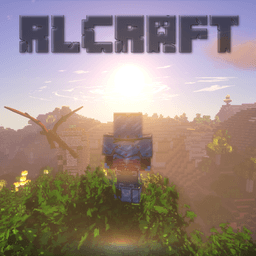
Experience hardcore Minecraft with brutal monsters, complex crafting, and realism-focused mechanics. A true test of survival for seasoned players.
1
Get a Modded Launcher
Install a modded Minecraft launcher such as CurseForge or ATLauncher, then open it and search for the pack to install it.
2
Install & Launch
Install the pack through your launcher, then launch it. Make sure it loads fully before trying to connect.
3
Join the Server
Add the server address to your multiplayer list and connect. That's it — you're in!
About RLCraft on Apollo Network
Apollo Network's RLCraft server brings the most popular hardcore modpack to life in a multiplayer environment built for serious survival players. With over 120 mods including Lycanites Mobs, Ice and Fire, and Tough As Nails, every session is a fight for survival against dragons, sea serpents, and hostile mobs that spawn in every biome. Our dedicated hardware ensures lag-free gameplay with 24/7 uptime, automatic backups, and an active staff team ready to help. Whether you're a veteran RLCraft player or trying it for the first time, Apollo Network offers a stable, community-driven server with regular events, an in-game economy, and grief protection to keep your progress safe.
You Might Also Like


Frequently Asked Questions
How do I join the RLCraft server?
Install the RLCraft modpack from CurseForge using a launcher like CurseForge, ATLauncher, or Prism Launcher. Once installed, launch Minecraft and connect to rlc.apollonetwork.org to start playing.
What version of RLCraft does Apollo Network run?
Apollo Network runs RLCraft v2.9.3 on Minecraft 1.12.2 — the latest stable version of the modpack.
Is the RLCraft server free to play?
Yes, the server is completely free to join and play. Optional cosmetic and convenience items are available in the store to support the server.
What makes Apollo Network's RLCraft server different?
Apollo Network offers dedicated hardware for lag-free gameplay, 24/7 uptime, automatic backups, an active community with regular events, and a responsive staff team. We've been running modded Minecraft servers since 2019.